
Engineering · Collaboration · Shipping Notes
What Developers Expect When Designers Hand Off
The beginner-friendly handoff contract that scales (organized files, states, components, and responsive behavior) so engineering ships without guesswork.
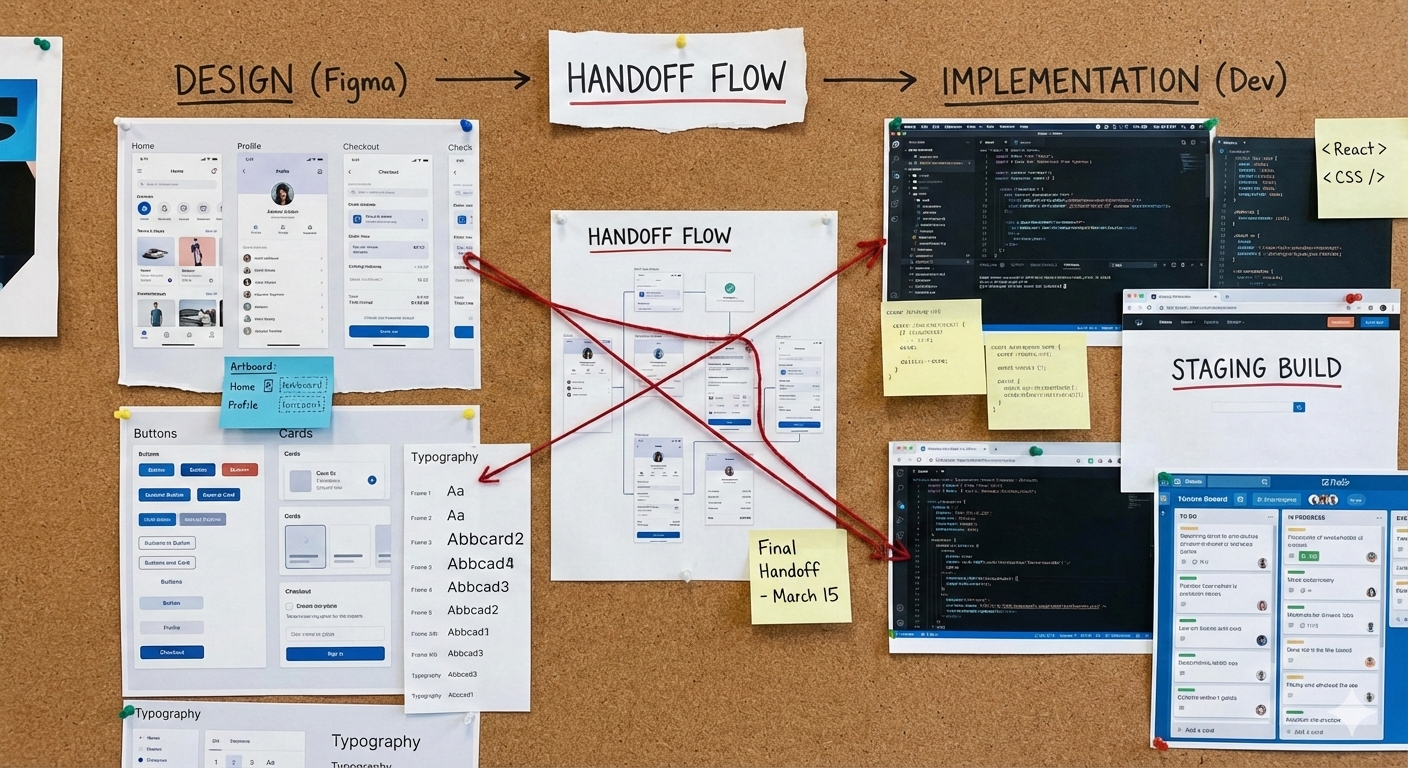
This post is inspired by a question asked in Level Up In Tech (a Twitter/X Space hosted by Miracle Agitan every Monday 9:00 PM WAT):
“What do developers expect when designers hand off?”
If we treat this as a preference question, we will argue forever.
So I want to answer it in a better way.
Not “what developers like.”
But what makes building a product smoother, more consistent, and easier to ship.
Because a good handoff is not a matter of taste. It is a process.
I have shipped enough UIs to know the honest simple answer is “fewer assumptions.”
Why handoff matters
A design handoff is where product decisions move from design into code.
When decisions are missing from the handoff, delivery becomes guessing. They move downstream (into engineering) where they get made under pressure, inconsistently, and usually in the worst possible moment.
That is how you end up shipping a product where:
- One page has a skeleton loader, another page has a spinner, and another page is just blank.
- The empty state looks like a bug.
- Error handling becomes a red toast everywhere because nobody defined the alternative.
So when developers say “we need a better handoff,” in my opinion, what we mean is: we need the handoff that reduces uncertainty, so the team can build one product, not many versions of it.
Start here: the minimal handoff that works for small and large projects
If you are a beginner, or you are on a small team, you do not need an exhaustive process.
You need a minimal contract that scales.
Four things. If these four are clear, engineering can build calmly.
- Organization standard (file structure and source of truth) One source of truth. Clear naming. Clear pages. Clear components. No “draftpads as production.”
- Decision standard (flow + states) Happy path plus the real world: loading, empty, error, success, permission denied.
- Reuse standard (components + variants) What building blocks exist, which variants are used, and what is reusable vs one-off.
- Behavior standard (responsive + interaction notes) How it behaves across breakpoints and input modes (mouse, keyboard, touch).
If these four are clear, development becomes smoother even for beginners.
Everything after this is extra detail you can add as the project scales.
A quick story: where handoffs actually break
Most handoff pain does not show up on the first day of development.
It shows up when engineering connects the UI to reality.
The moment real data enters, the layout meets long names, empty fields, and permissions.
The moment real devices enter, the perfect desktop frame meets a 340px screen.
The moment real networking enters, your “instant” interaction meets latency.
And in those moments, the team starts asking the same question in different forms:
“Where is the decision for this?”
If the handoff already contains the decision, the build stays smooth.
If it does not, engineering invents it.
So let’s break down the four expectations.
1) Organized standard (so that developers do not implement from moodboards)
This one is underrated.
Even with good designs, developers lose time when the file is chaotic because a messy file can turn a handoff into a scavenger hunt. And you get things like:
- Final screens mixed with explorations
- Components duplicated across pages
- No naming conventions
- No clear “this is the source of truth”
That is not a skill issue. That is a process issue.
A clean file structure prevents engineers from using moodboards as specs.
What “organized” looks like, even on small projects:
- A page called Handoff / Ready for Dev
- A page called Components (with variants)
- Explorations kept in Scratch / WIP
- Frames named by feature and state (not “Frame 34”)
Product benefit: less back-and-forth, fewer wrong builds, faster onboarding for new teammates.
2) Decision standards (define the flow and the states)
The product is not only the happy path.
The happy path is the easiest thing to design and the least risky thing to ship.
Real product behavior is everything else:
- Loading
- Empty
- Error
- Success
- Permission denied
- Partial data
- Validation failures
If these are not defined, the developer will still pick something.
But then the product becomes inconsistent.
Examples that make decisions clear:
- Empty state for Invoices: short explanation + CTA (“Create invoice”) + secondary action (“Import”).
- Error state for Save: show what failed, allow retry, keep the user’s input.
- Permission denied on Admin: explain why, show who to contact, and what to do next.
Product benefit: fewer surprises in production, fewer “bug reports” that are actually missing UX decisions.
3) Reuse standard (so that screens are composition, not reinvention)
A design that cannot be decomposed into components will not scale. Strong products reuse parts.
If each screen invents a new version of the same thing, you get:
- Slower development
- More bugs
- A UI that drifts over time
This shows up fast in dashboards:
- Tables
- Filters
- Modals
- Dropdowns
- Toasts
- Pagination
- Forms
- Cards
If every screen invents a new button, a new table, a new modal, engineering either builds duplicates or over-generalizes too early.
A clean handoff shows components and variants, like:
- Button / Primary / Loading
- Table / Dense / Sticky header
- Modal / Confirm / Destructive
Product benefit: faster shipping, more consistent UI, simpler QA.
4) Behavior standard (responsive and interaction rules)
Responsiveness is not “make it fit.”
Responsiveness is product design: what collapses, what stacks, what becomes a bottom sheet, what scrolls.
A good handoff answers questions like:
- What happens to a table on mobile?
- Where do filters go on small screens?
- What becomes an accordion?
- What gets hidden behind “More”?
Examples:
- Desktop table becomes a card list on mobile.
- Filter row becomes a bottom sheet with “Apply” and “Reset.”
Interaction notes matter the same way:
- Hover, focus, active, disabled
- Keyboard intent (focus order, visible focus)
- Touch targets (are things tappable?)
Product benefit: fewer broken layouts, better usability, fewer last-minute fixes.
If you want to go deeper
The four-part contract above is enough to ship. If you want to reduce rework even more, these are the next layers.
But when the project grows, you can add these layers (optional but powerful)
- UI specs that eliminate taste-based decisions Spacing scale, typography tokens, truncation rules, min/max sizes. Enough detail so implementation does not become interpretation.
- Accessibility as intent Contrast that holds up, visible focus states, and touch targets that are actually tappable.
- Content constraints Real copy where possible, and constraints where not: max characters, wrap rules, fallbacks.
- Assets and source of truth Icons, illustrations, and exports in a consistent, developer-friendly way with one location as the truth.
Faster decisions during build: what great collaboration looks like during build
The final difference is not more documentation but presence.
High-velocity teams keep designers involved during implementation. They keep the decision loop tight while building.
That looks like:
- Quick answers when something is unclear (in Figma comments or the ticket)
- Clear tradeoffs when constraints show up (“table becomes cards on mobile” or “This animation is optional”)
- A quick review on staging to confirm the build matches the intent
Product benefit: less drift, fewer last-minute changes, fewer “why is this different?” moments.
Why this matters, especially on small teams
On small teams, engineers become the integration layer between design, backend, deployment, and reality.
If the design intent is vague, ambiguity falls on engineering. If engineering output is vague, bugs fall on users.
At the end of the day, that’s lose for the product.
So what do developers expect?
They expect a handoff that follows a process:
- Organized files (easy to find source of truth)
- Clear decisions (flow + states)
- Reusable building blocks (components + variants)
- Clear behavior (responsive + interactions)
Because product teams want to ship without guessing.
Further reading
Design-to-dev handoff and specs
- Figma — Guide to Developer Handoff: https://www.figma.com/best-practices/guide-to-developer-handoff/
- Figma — The designer’s handbook for developer handoff: https://www.figma.com/blog/the-designers-handbook-for-developer-handoff/
- Nielsen Norman Group — Creating Design Specs for Development: https://www.nngroup.com/articles/creating-design-specs-for-development/
- Nielsen Norman Group — From Confrontation to Collaboration (Developer–Designer relationship): https://www.nngroup.com/articles/developer-designer-relationship/
Design systems and shared language
- Nielsen Norman Group — Design Systems vs. Style Guides: https://www.nngroup.com/articles/design-systems-vs-style-guides/
Accessibility references
- W3C — WCAG 2.2 (standard): https://www.w3.org/TR/WCAG22/
- W3C — How to Meet WCAG (Quick Reference): https://www.w3.org/WAI/WCAG22/quickref/
Touch targets
- Material Design (M2) — Touch targets: https://m2.material.io/design/usability/accessibility.html#touch-targets
- Material Design (M2) — Touch Target (web guidance): https://m2.material.io/develop/web/supporting/touch-target
- Android Accessibility Help — Touch target size: https://support.google.com/accessibility/android/answer/7101858